Desktop Planner는 Windows 바탕화면에 투명하게 떠 있는 플래너예요. 앱을 열지 않아도 오늘의 루틴과 할 일, 캘린더 일정이 늘 보이고, 체크한 기록은 그래프로 쌓여요.
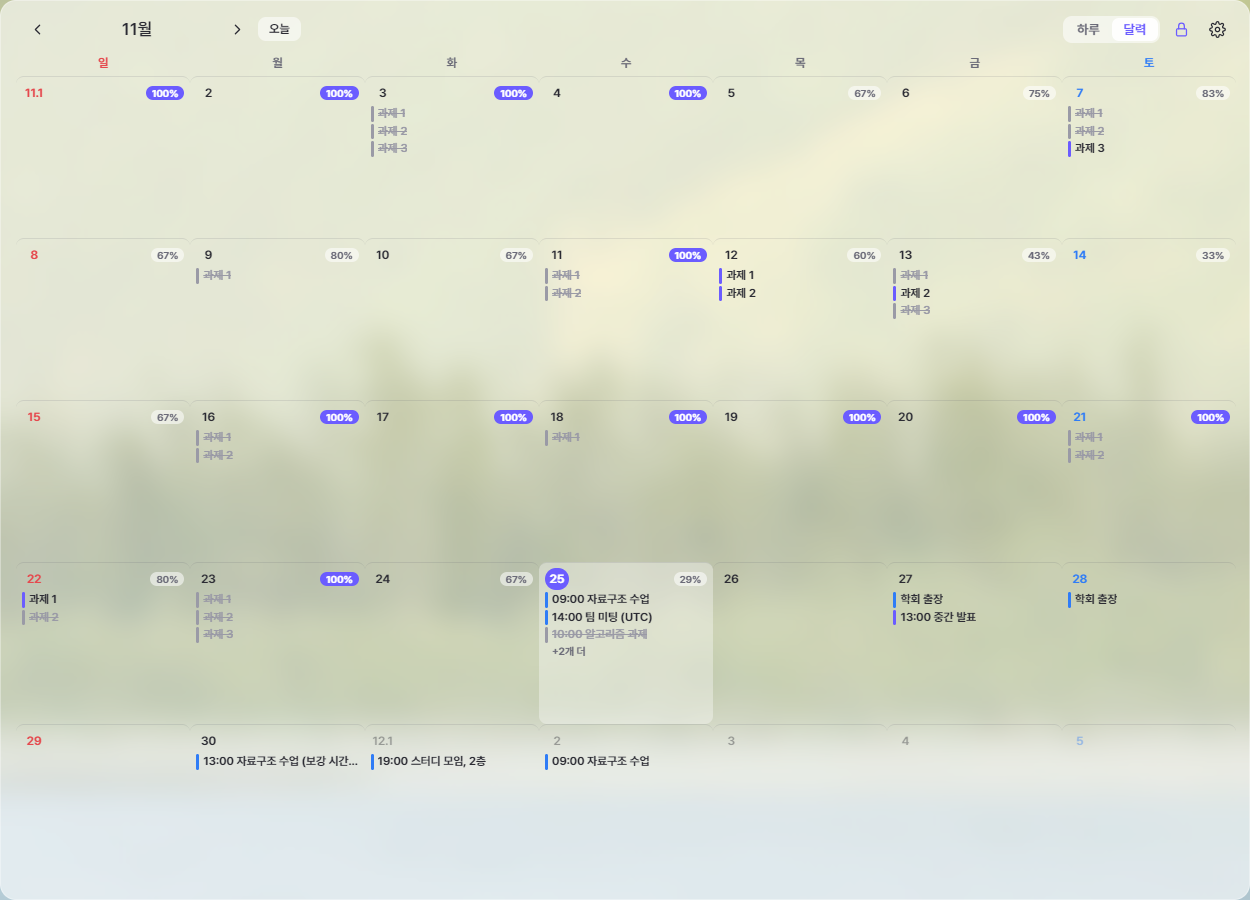
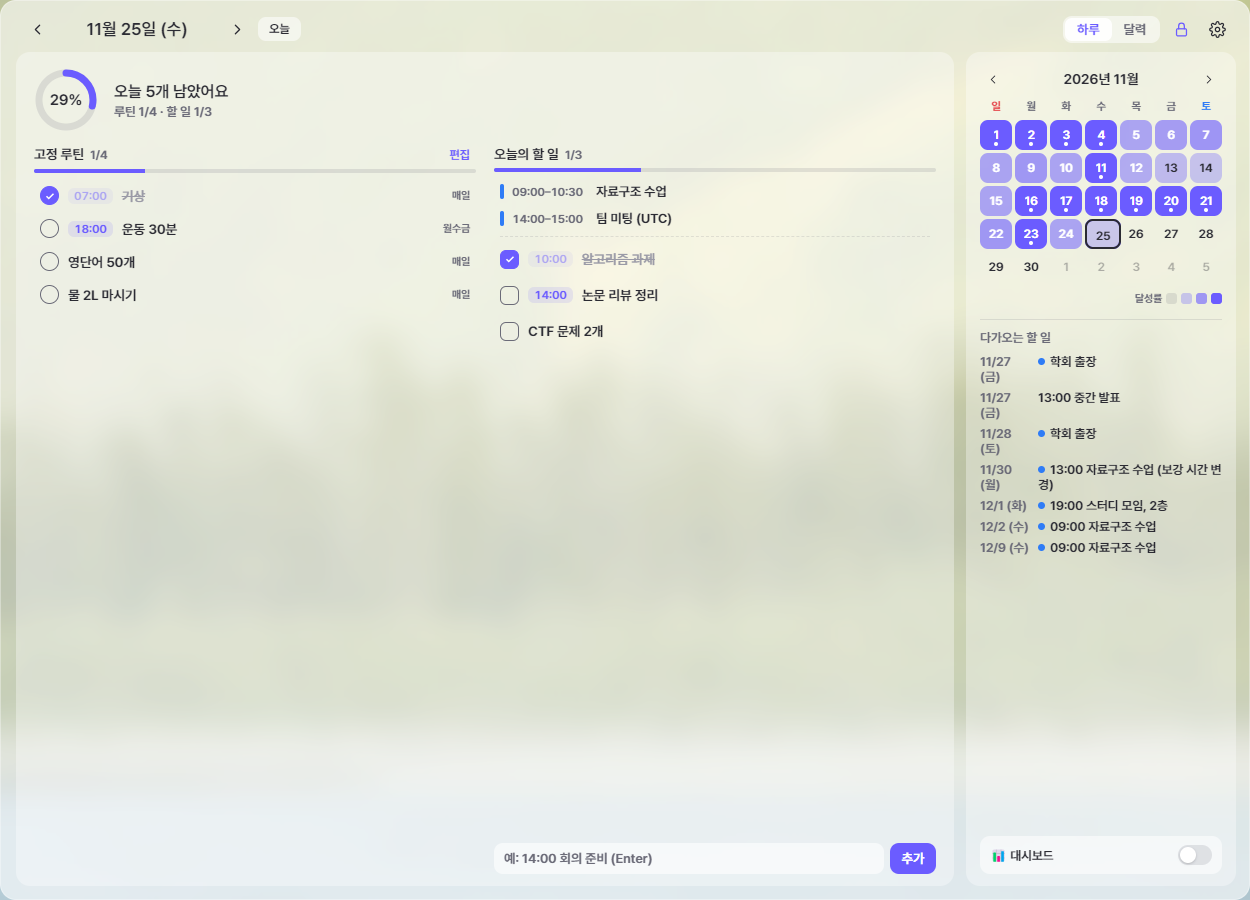
진짜 앱 화면 그대로예요. 할 일을 추가하고 체크하고, 달력에서 일정을 넣고 고치고 지워 보세요.
체험판 기록은 이 브라우저에만 저장되고, 일정은 체험용 가짜 캘린더에 들어가요.
바탕화면 한쪽에 조용히 붙어 있다가, 보고 싶을 때 바로 보여요.
다른 창 뒤, 바탕화면 위에 늘 떠 있어요. 배경화면이 비치는 유리 효과와 투명도 조절.
매일 또는 정한 요일마다 다시 생기는 체크리스트로 습관을 관리해요.
그날만 할 일을 시간순으로. 14:00 회의처럼 쓰면 자동 정렬돼요.
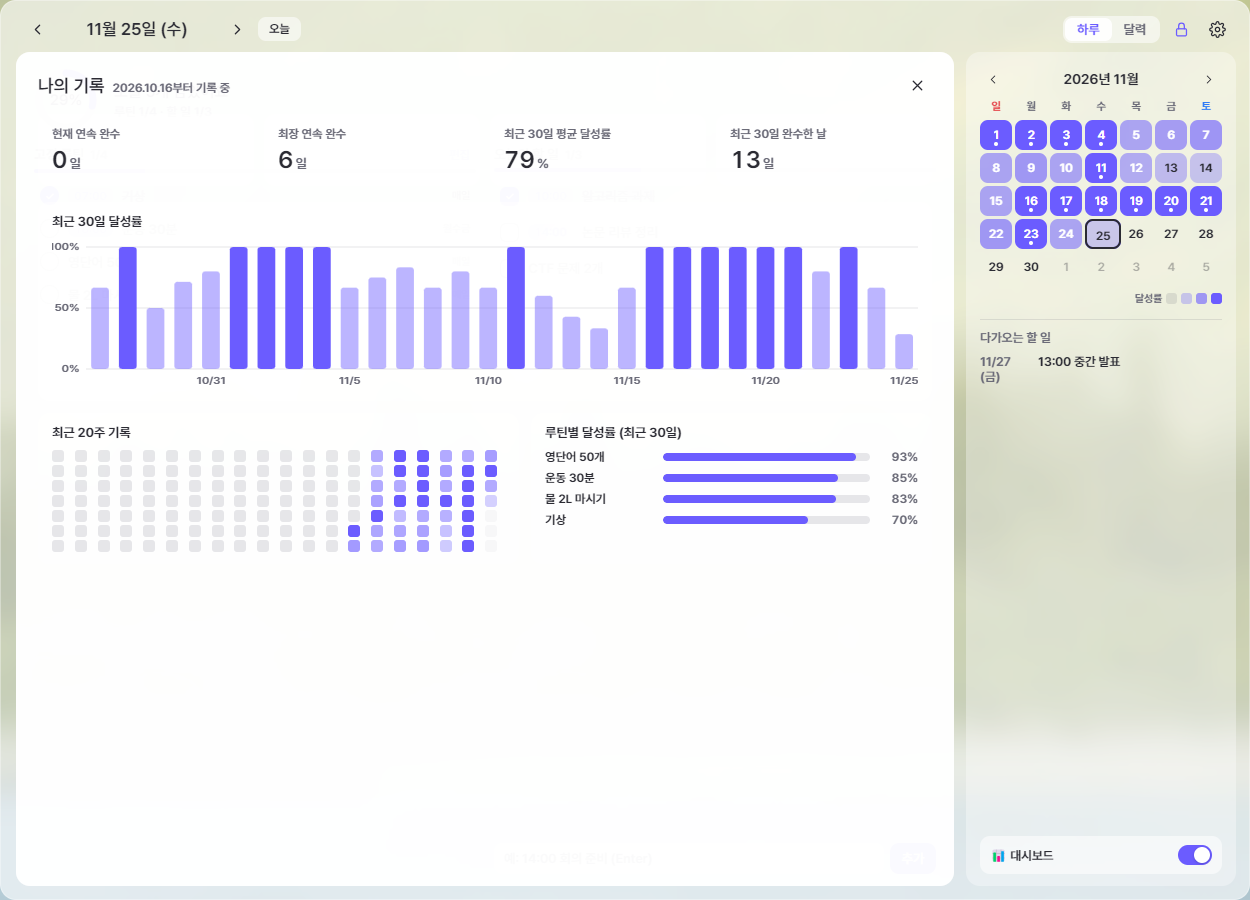
연속 완수 일수, 30일 달성률 그래프, 20주 히트맵, 루틴별 달성률.
Google 캘린더 로그인으로 폰 일정이 함께 보이고, 달력에서 날짜를 누르거나 끌어서 등록한 일정은 폰에도 바로 떠요. iCloud·Outlook iCal 주소도 돼요.
일정·할 일에 🔔를 누른 것만 시작 5분 전(10·30분 선택)에 소리 없이 Windows 알림으로 알려 줘요.
매일 자동 백업(최근 30일). 파일이 깨지면 다음 실행 때 자동 복구되고, 트레이 아이콘은 항상 남아요.
새 버전은 알아서 받아 두고 다시 시작 한 번이면 적용돼요. 한국어·English는 설정에서 언제든 바꿔요.
할 일과 루틴을 체크할 때마다 날짜별로 기록돼요. 대시보드에서 내가 얼마나 꾸준했는지, 어떤 루틴을 잘 지키는지 한눈에 확인하세요.
하루 만에 첫 버전을 내고, 직접 쓰면서 계속 다듬고 있어요.
Desktop Planner는 사용자가 설정에서 "Google로 로그인"을 눌렀을 때만 Google 계정에 연결해요. 요청하는 권한과 사용 방식은 다음과 같아요.
자세한 내용은 개인정보처리방침을 확인하세요.
DesktopPlanner-Setup.exe를 실행하세요. "Windows의 PC 보호"가 뜨면 추가 정보 → 실행.Desktop Planner is a free, open-source study planner that lives on your Windows desktop: fixed daily routines, per-day to-dos, a progress dashboard, and optional Google Calendar / iCal events — add events (even across several dragged days) from the Month view and they show up on your phone. Ring the 🔔 on any timed event or to-do for a silent Windows reminder a few minutes before it starts. Daily automatic backups and auto-updates included (you can turn automatic updates off in Settings and only be notified). It's free and open source (MIT): add features yourself or suggest them on GitHub — note that edits made directly to the installed app are replaced by updates, so fork the repository if you want to keep your own changes. When you choose Sign in with Google, the app requests calendar.readonly to display your events, calendar.events to add the events you type in the Month view (and delete the ones you choose), and email to show which account is connected. Events and tokens stay on your computer; nothing is sent to the developer or third parties, and no other events are ever changed. Use of information received from Google APIs adheres to the Google API Services User Data Policy, including the Limited Use requirements. See the privacy policy and the user guide.
 Desktop Planner